Welding shops
Track awarded work, steel orders, separate receipts, and the materials still needed before fabrication continues.
EVERYDAYOPSTOOLING / EXCEL WORKBOOK
A practical desktop Excel workbook for following a job from bid through material orders, receiving, and site delivery. Built for small teams that need to see what arrived and what is still outstanding.
Purchase and download are handled by Etsy. The tracker itself is an .xlsx workbook.
When job notes, purchase orders, and packing slips live in different places, it is easy to lose track of what is ready. This workbook connects records by ID: start with the job, add each ordered material as a separate line, then log every receipt against that line. The dashboard surfaces work that needs follow-up.
Record the customer, description, bid status, work status, target date, and next action. Use a stable Job ID to connect later records.
Give each material order line its own ID, supplier, quantity, unit, purchase order reference, and expected date.
Add a new receiving row for every shipment. Received and outstanding quantities update on the order line, including when an order arrives in pieces.
Track a part or batch through its current department, then record planned and actual dates for outgoing site trips.
In the fictional demo, a welding and fabrication job orders 120 feet of steel angle. The supplier brings 40 feet, then another 45. The two receipts stay separate, and the material order shows 85 feet received with 35 feet still outstanding.
That remaining quantity gives the shop a concrete supplier follow-up before it schedules the next fabrication step. The same approach can help contractors keep material purchases and site trips tied to the right job.
This is a fictional example from the demo workbook, not a customer result.
These previews were rendered from the current demo .xlsx. Names and jobs shown are fictional examples. Open an image for a larger view.
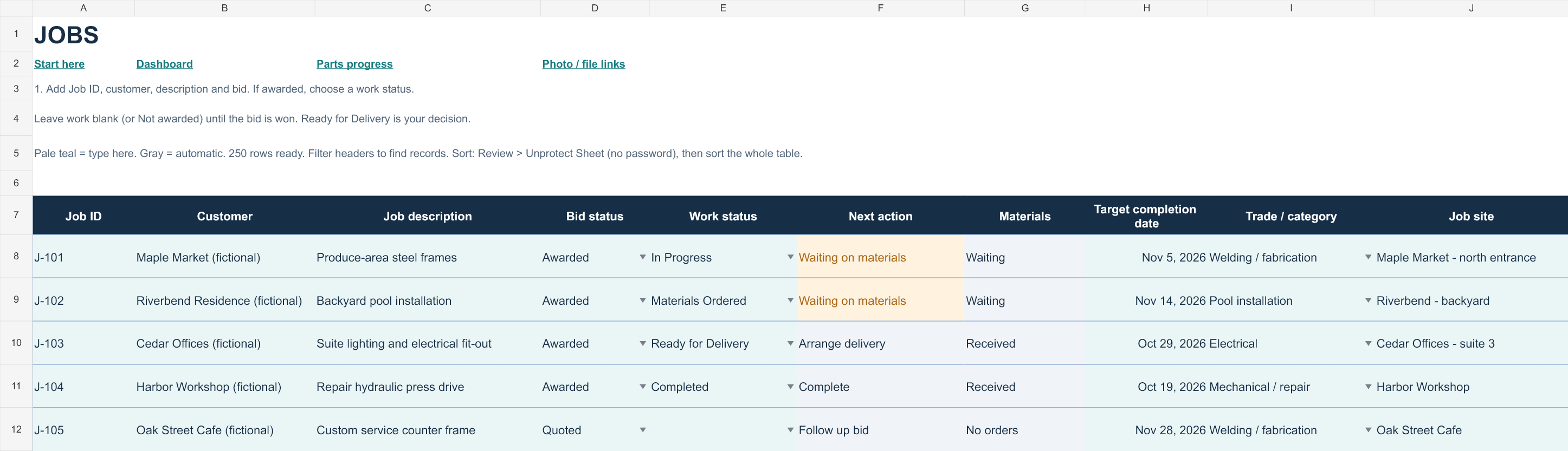
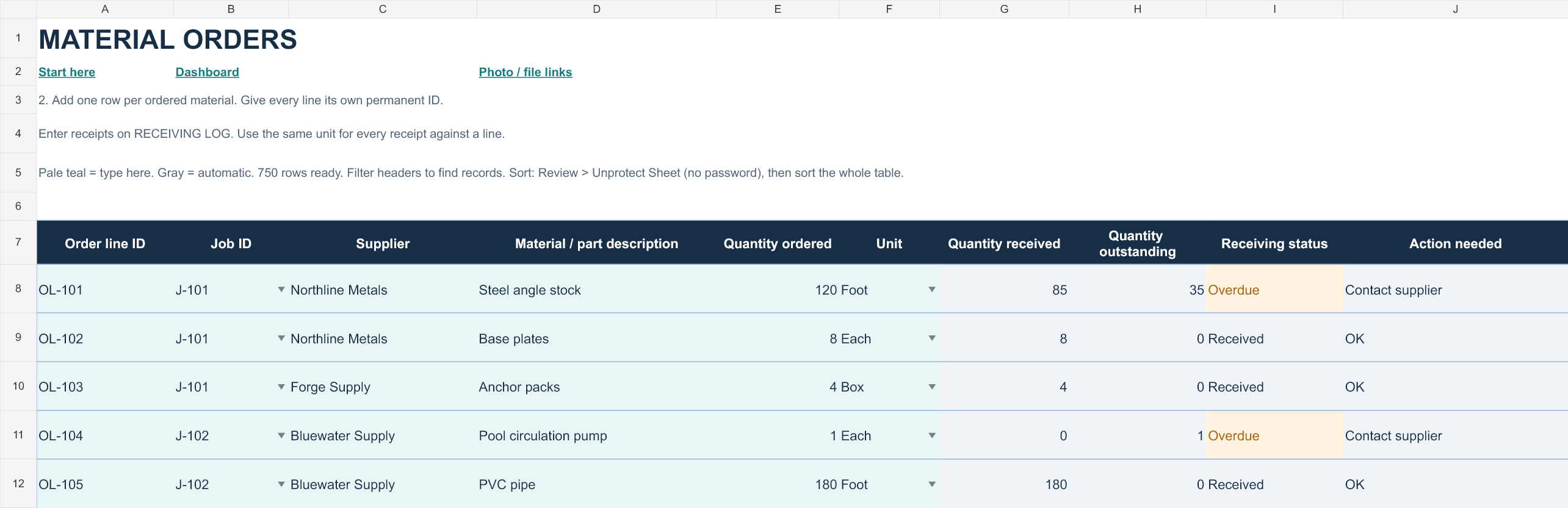
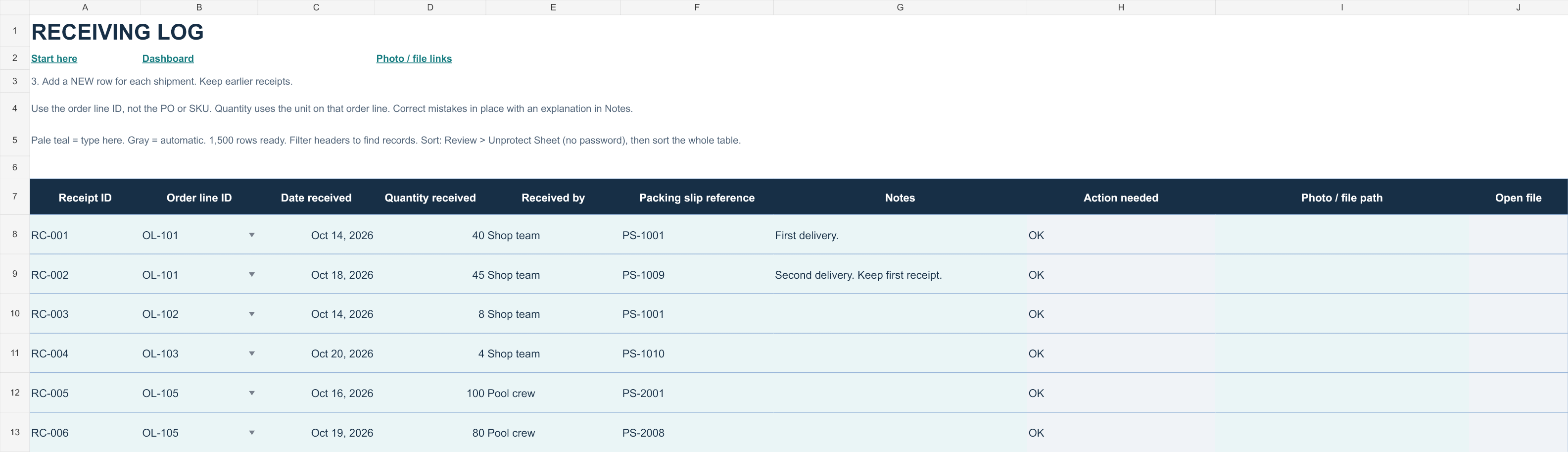
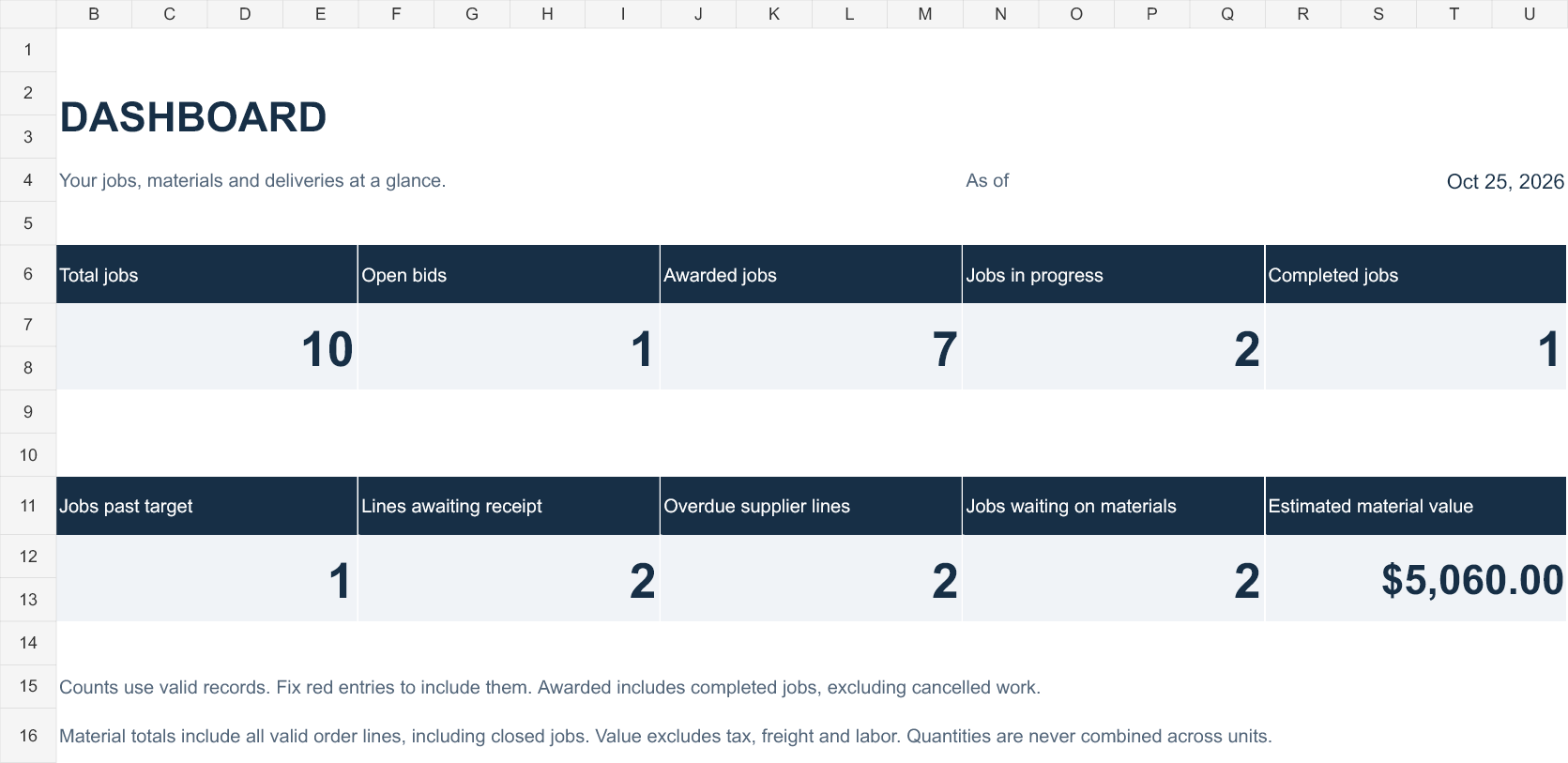
Track awarded work, steel orders, separate receipts, and the materials still needed before fabrication continues.
Give each part or batch one current department and progress state so a handoff or hold is easier to see.
Keep a job ID on material lines and outgoing trips, with planned and actual delivery dates in the same workbook.
The tool is an .xlsx workbook with eight worksheets. Etsy currently lists the download as one ZIP file. It is designed for desktop Microsoft Excel 2016, 2019, 2021, 2024, and Microsoft 365. It was tested in Windows Excel 16.0, build 20326. An Excel license is not included.
It uses formulas and built-in Excel controls. No macros, VBA, paid add-ins, external APIs, Power Query, or cloud account are required.
The demo is for illustration. Start actual records in a copy of the blank workbook and keep backups.
Check the current Etsy listing for purchase and download details.